Check your GEPCO Bill by Entring 14 Digit Reference Number or 10 Digit Customer ID.
View, download, or print your GEPCO bill through the official PITC portal.
Check GEPCO Bill Online
Where is the Reference and How to Find it on the GEPCO Bill?
Find an Old GEPCO Bill
Find any previously issued GEPCO electricity bill, whether paid or unpaid, from your records at home.
Check the Bill Header
Search for the “Reference No.” box in the bill header, where it is commonly printed beneath the Consumer ID.
Enter All 14 Digits
Enter all 14 digits exactly as printed on your bill. Do not add spaces, letters, or any extra characters.
GEPCO Customer Service Areas & Support Details
Areas Covered Under GEPCO’s Electricity Network
GEPCO manages power distribution for millions of consumers across several major districts in northern Punjab. To help identify the office responsible for your electricity connection, check the Division and Sub-Division details printed on the upper-right side of your bill. These details indicate the local GEPCO office that handles billing, maintenance, and customer support for your area.
Hafizabad
Sialkot
Gujranwala
Gujrat
Narowal
Mandi Bahauddin
Why Consumers Need a Duplicate GEPCO Bill
- Your electricity bill was misplaced before payment
- The printed bill was torn, faded, or unreadable
- You haven’t received the monthly bill at your address
- You need an extra copy for payment or record-keeping
- You want to download and print the bill again
- You are checking billing details and electricity usage
- You need the bill for office, rental, or documentation purposes
- You want to confirm the payable amount and due date
- You require a backup copy for future reference
- You are reviewing monthly charges and meter readings
How to Get a Duplicate GEPCO Bill Online
- Type your reference number in the bill checking form.
- Click View Bill to retrieve your bill details.
- Wait a few seconds while the system fetches your latest bill.
- Download the bill in PDF format or print it directly.
About GEPCO
GEPCO (Gujranwala Electric Power Company) is the electricity distribution company responsible for supplying power to millions of consumers across different areas of Punjab. It provides electricity to homes, businesses, industries, and agricultural users while also managing billing, meter-related services, new connections, and customer support. For many people in the region, GEPCO plays an important role in ensuring a reliable and continuous power supply for everyday life.
Understanding the Main Sections of Your GEPCO Bill
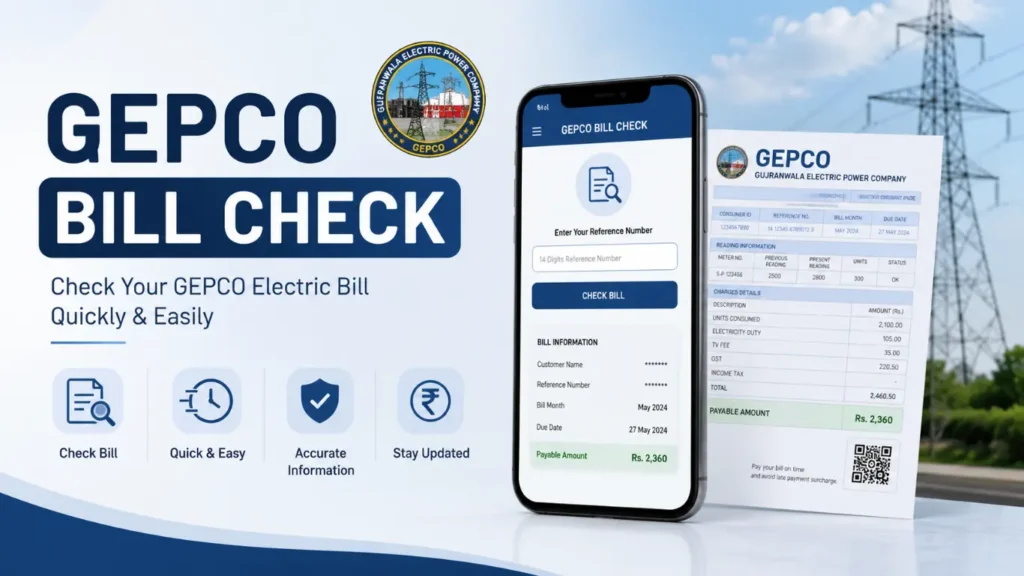
Registered Consumer Details (Name & Address)
This section displays the name and property address officially linked with GEPCO. Always ensure these details are accurate so you can confirm the bill belongs to your correct connection.
14-Digit Reference Number
A unique identification number assigned to your electricity connection. This permanent number is used when you want to check your GEPCO bill online and stays unchanged every billing cycle.
Consumer Account ID
A short reference code used internally by GEPCO to manage your account. It is commonly required for office visits, record checks, and submitting service-related complaints.
Billing Period (Month)
Indicates the specific month for which your electricity usage has been calculated. Always verify this to ensure the bill corresponds to the correct billing cycle.
Bill Generation Date & Payment Deadline
The generation date shows when your bill was issued, while the due date represents the final day to clear payment without any late charges or penalties.
Meter Reading (Previous & Current)
This section records your electricity meter readings at the beginning and end of the billing cycle. The difference between the two readings determines your total electricity usage.
Total Electricity Usage (Units Consumed)
Represents the total number of kilowatt-hours (kWh) consumed during the month. This value is the key factor in calculating your electricity cost and tariff charges.